01
Level and inventory
Tank levels, corrected volume, temperature and mass, with tracking of bunkering, deliveries and transfers.

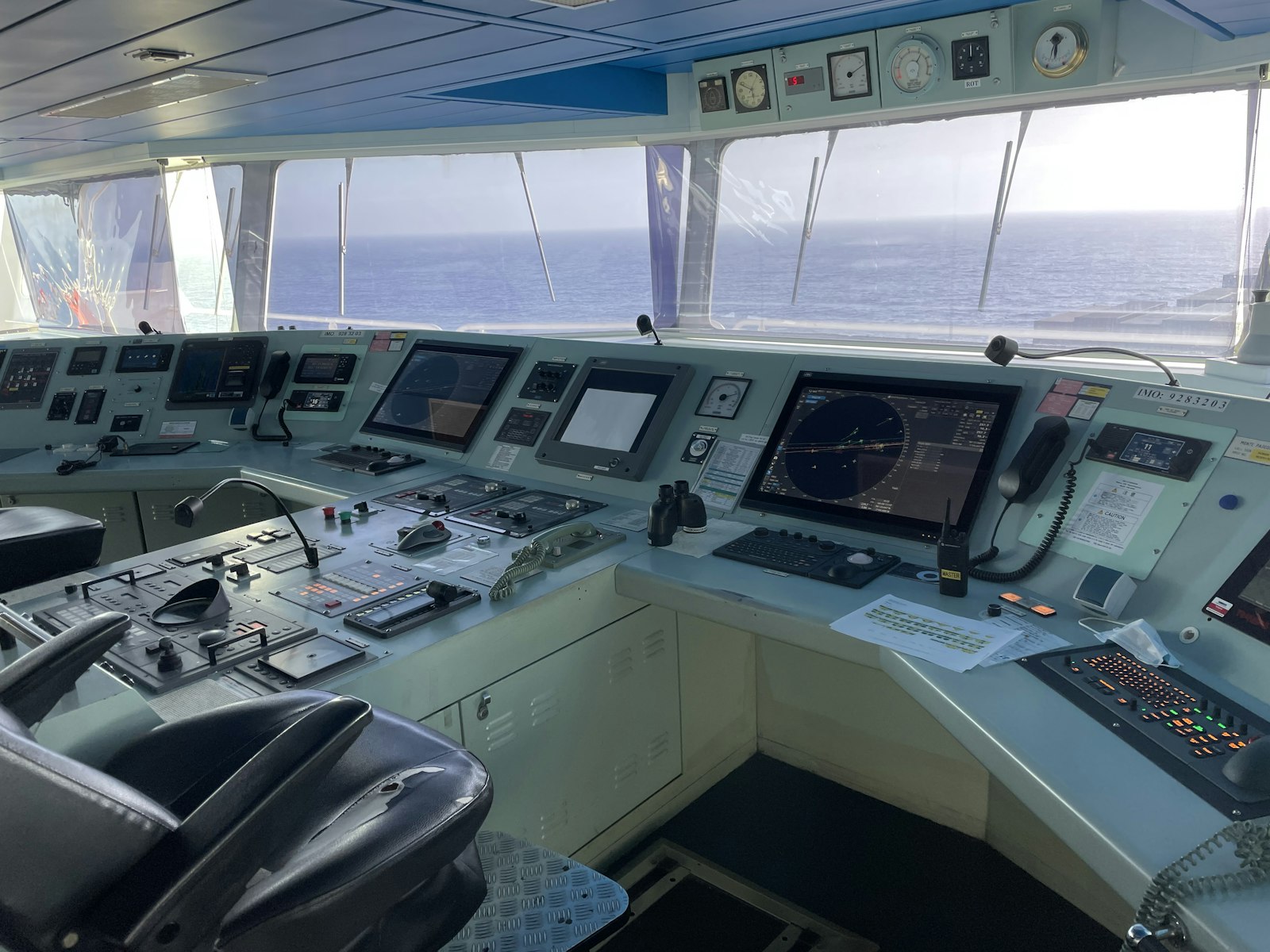
Indicators, history and alerts within the package's enabled features. Screens are demonstrations; the contracted scope defines measurement points and available functions. Internet required.
Flow rate, level, temperature and equipment status, with readings and alerts for the measurement points included in the package.
Tank levels, corrected volume, temperature and mass, with tracking of bunkering, deliveries and transfers.
Engine supply and return flow, with flow-rate readings and consumption monitoring.
Operating hours, speed, load and power to track engine and generator use.
Electrical demand, running generators and consumption, according to the package instrumentation.
Vessel position, speed and heading, with navigation information in one dashboard.
Water presence, bilge level and pump status, with alerts for the responsible crew.
Condition index, temperature and history to follow changes in the oil and support maintenance.
Readings from the package’s temperature measurement points, with trends and threshold alerts.
States such as on/off and open/closed, alongside continuous values from the monitored points.
Vessel Tech · Monitoring display
Demo vessel
Fuel on board
312.8m³
Cargo diesel 486.0 m³
Consumption now
452kg/h
Consumption per mile
47.1kg/nm
Endurance
24days
Total consumption · last 24 h
kg/h
Engines · net consumption
AlarmMass balance: −0.62 m³ in 24 h (limit 0.50 m³)
Probable source: tank No.2 Wing BB, no transfer recorded.
WarningMCP BE: specific consumption +4.0% above baseline
InfoSpeed suggestion available: 8.7 kn
Demonstration — fictitious data and features subject to the contracted package
The crew reviews indicators, history and alerts from the package's measurement points. The display informs; it sends no equipment commands.
Diesel oil tanks
Volume corrected for trim, heel and temperature (15 °C)
Trim
0.42 m
Heel
0.3° BB
Total on board
312.8 m³
Cargo diesel
486.0 m³
Free space for bunkering
214.5 m³
Demonstration — fictitious data and features subject to the contracted package
Inventory, consumption and balance with engineering rigor: level becomes corrected volume, supply minus return becomes net consumption and every difference gets a probable explanation.
Vessel Tech · Monitoring display
Demo vessel
Consumption and power
Net consumption per engine = supply − return, measured by flow meters
204kg/h
Specific consumption
201 g/kWh · +0.6%
206kg/h
Specific consumption
206 g/kWh · +4.0%
41kg/h
Specific consumption
215 g/kWh · +1.2%
—kg/h
Specific consumption
—
Specific consumption × load · MCP BE
g/kWh
Electrical balance
162kW demand
Suggestion · power load
Analysis scenario: main engines at 82% load and 9.6 kn. No application to equipment.
Estimated difference
−38 kg/h · 0.91 t/day
Software acknowledgement; no changes to alarms or equipment.
Demonstration — fictitious data and features subject to the contracted package
Supply minus return becomes net consumption; net consumption over power becomes specific consumption. Each engine is compared with its own baseline, at the same load.
Bunkering and deliveries
Bunker delivery note × flow meter × tank variation · last 30 days
Received
600.64 m³
2 events
Delivered to units
142.88 m³
3 events
Outside the 0.5 % limit
1/5
Largest divergence
−1.40 %
BDN 2027-04182
| Date | Type | Document | Declared | Flow meter | Tanks | Difference | Status |
|---|---|---|---|---|---|---|---|
| 18/03 06:10 | Receipt | BDN 2027-04471 | 185.00 | 184.31 | 184.66 | -0.37 % | Within limit |
| 17/03 15:20 | Delivery | SOL 2027-0317 | 60.00 | 59.82 | 60.21 | +0.65 % | Closed with justification |
| 12/03 10:30 | Delivery | SOL 2027-0312 | 45.00 | 45.10 | 45.31 | +0.46 % | Within limit |
| 09/03 08:40 | Receipt | BDN 2027-04182 | 220.00 | 216.92 | 217.01 | -1.40 % | Divergence · protest |
| 03/03 14:05 | Delivery | SOL 2027-0303 | 38.00 | 37.96 | 38.09 | +0.34 % | Within limit |
Receipt · BDN 2027-04182
−1.40 % · −3.08 m³ against the BDN
Flow meter rate (m³/h)
Stop detected · 3 × 14 min
Demonstration — fictitious data and features subject to the contracted package
Every receipt and every delivery to the units with the delivery note, the flow meter and the tank variation side by side, in volume at 15 °C. Outside the limit, the record backs up the claim.
Vessel Tech · Monitoring display
Demo vessel
Discrepancy alerts
Continuous mass balance and integrity checks, with an audit trail
Alarm12:51
Mass balance: −0.62 m³ in 24 h (limit 0.50 m³)
Warning11:58
Flow meter × ECM of MCA BB: 5.9 % difference
Warning11:20
MCP BE: specific consumption +4.0% above baseline
Info10:05
Speed suggestion available: 8.7 kn
AlarmMass balance · since 09:40
since 12:51−0.62m³ · 24 h
Expected inventory
312.95 m³
Measured inventory
312.33 m³
Difference
−0.62 m³
Limits in force
Probable source
Tank No.2 Wing BB lost 0.48 m³ since 09:40 with no transfer recorded. Transfer pumps stopped and cross-over valves closed.
Recommended actions
Software acknowledgement; no changes to alarms or equipment.
Demonstration — fictitious data and features subject to the contracted package
An alert brings together readings, history and the configured limit to help the team assess an incident. Acknowledgement is recorded in the software, without changing equipment protections or alarms.
Fleet
Last 24 hVessels in sync
3/4
Open alerts
2
Fleet consumption today
38.6 t
PSV Bravo · mass balance out of limit
12:51OSV Charlie · link restored, 14 min synced
12:37Vessel Tech
12:51Alarm · Demo vessel
Mass balance: −0.62 m³ in 24 h (limit 0.50 m³)
Demo vessel
Onboard data 12 s oldFuel on board
312.8 m³
Consumption now
452 kg/h
Endurance
24 days
Consumption per mile
47.1 kg/nm
Voyage in progress
Port → offshore unit
Estimated scenario: 8.7 kn, arrival within the window and a 0.32 t difference
Demonstration — fictitious data and features subject to the contracted package
Superintendents, owners and charterers follow the fleet with the age of every reading in view: the portal never calls a delayed value "live".
Efficiency reports
Example report from onboard records, subject to enabled features and available data.
Consumption this month
208.6 t
Against the contract
+1.8 %
In transit
46.5 kg/nm
Average specific consumption
203 g/kWh
CO₂ emissions
668.8 t
Consumption rate by mode × contract · t/day
Contractual · Actual = value
Daily consumption by mode · t
Specific consumption × baseline · weekly variation corrected for load
+1.4 %
+2.9 %
+1.9 %
+1.0 %
Highlights and recommendations of the month
Demonstration — fictitious data and features subject to the contracted package
Daily, per voyage and monthly, generated from onboard records: consumption by mode against the contract, specific consumption per engine, recommendations and the suggestions that were followed.
Between laboratory analyses, follow oil trends, review history and receive alerts to support maintenance.
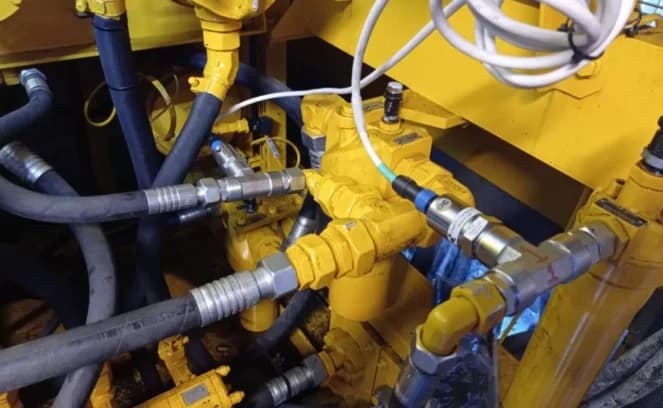
The sensor tracks changes in oil properties. The platform groups readings by equipment so your crew can review trends and configured limits.
Monitoring according to the measurement points and features in the vessel package.
Oil condition
Lubrication circuits · overview
Main engine · port
Main engine · starboard
Auxiliary engine
Current oil condition
Good
Within the reference range
900
Condition index · example
Oil temperature
65.4 °C
Configured range
800–1,100
Last reading
10:42:18
Reading received
Condition history
Last 6 hours
Sensor index · scale defined by the oil profile
Monitoring screen demonstration · illustrative readings and limits
Follow changes in oil properties, including significant viscosity changes, through the condition index.
Water and particles can affect reading patterns. History helps identify changes that warrant investigation.
Review condition trends and alerts to assess oil changes and plan checks with the responsible team.
Examples of advisory analysis, subject to enabled features and available data. The crew assesses the information and decides outside the system; no suggestion sends equipment commands.
Vessel Tech · Monitoring display
Demo vessel
Route, speed and trim
Advisory scenario comparison. No commands are sent to the vessel.
Voyage in progress
Port → offshore unit
Suggestion · just-in-time speed
confidence 91%8.7kncurrent 9.6 kn
8.7 kn arrives at 19:19, within the unit's window, and avoids waiting at the approach point
| Direct route | Optimized route | |
|---|---|---|
| Distance | 83.0 nm | 85.3 nm |
| Average current | 0.7 kn | 0.3 kn |
| Waves | 1.8 m | 1.4 m |
| Travel time | 8 h 39 | 9 h 10 |
Software acknowledgement; no changes to alarms or equipment.
Demonstration — fictitious data and features subject to the contracted package
Each organization with its own vessels, team and roles. The superintendent sees the fleet; the master, their own vessel; the charterer, what the contract provides.